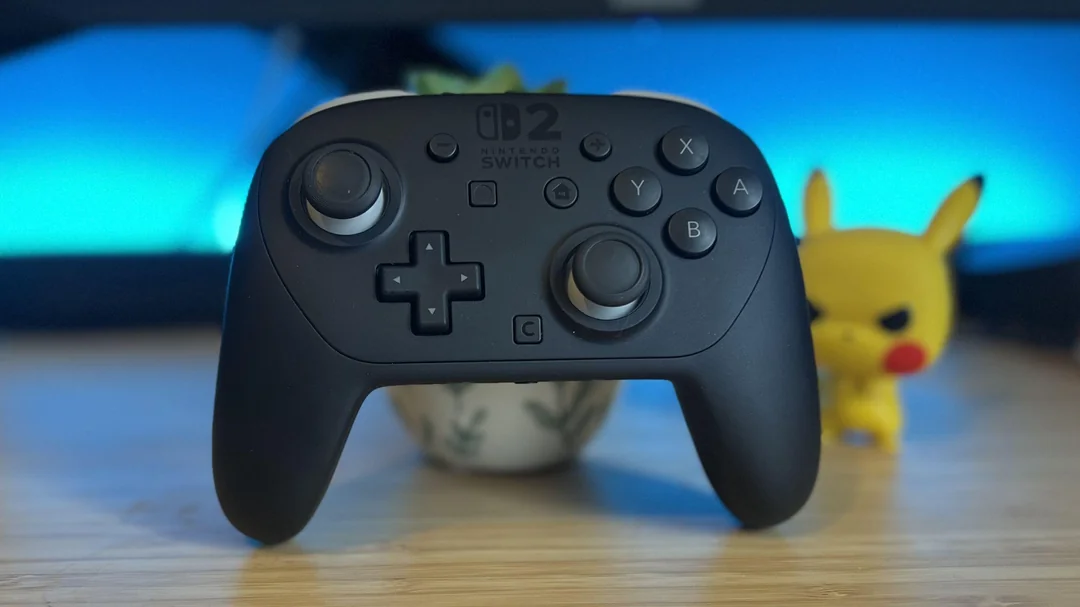
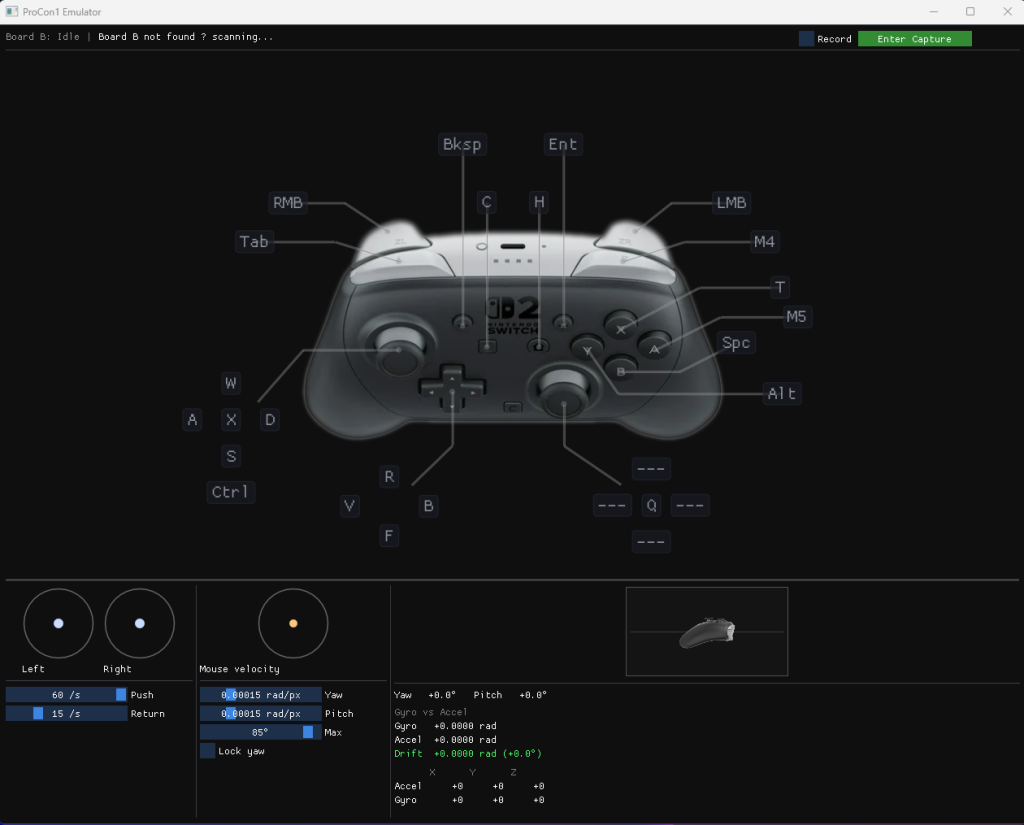
I just really wanted to play Splatoon on the Switch 2 with a mouse and keyboard.
That’s the entire origin story.1 The plan: build a small device that impersonates a real Pro Controller 2 over Bluetooth while taking input from a PC. The Switch thinks it’s talking to a controller. The PC thinks it’s talking to a game.
There are existing projects in the Nintendo controller hacking space — BlueRetro being the main one — but they solve the opposite problem. They let you use a Nintendo controller as a generic gamepad on a PC or another console. I needed to go the other direction: make a non-Nintendo device that the Switch 2 accepts as a real Pro Controller 2. And since the Switch 2 uses a new BLE protocol that differs substantially from the original Pro Controller, nobody had done this yet.
It took about three days for the reverse-engineering work, and a couple more for the building and refinement of the Windows tool. Here’s a quick write-up on the reverse-engineering part.
Starting Point
I wasn’t starting completely blind. The community had already made progress on the Switch 2’s controller protocol. darthcloud’s BlueRetro project had an open issue tracking Switch 2 controller support, with useful observations about the GATT service structure and connection behavior. HandHeldLegend had published ProCon2Tool, a web tool for reading Pro Controller 2 data that revealed some of the SPI flash layout and command structure. These gave me a solid starting framework.
But there were large gaps. The full connection and activation sequence — the exact bytes needed to convince the console that it’s talking to a real controller — wasn’t documented. Neither were the specific GATT handle requirements, the input report format differences from the original Pro Controller, or the advertising data structure the console uses for auto-reconnection. Filling those gaps was the actual work.
My primary tool was Wireshark. I captured the traffic between a real Pro Controller 2 and the Switch 2, then spent a day working through hex dumps of every packet. The controller uses two custom GATT services with 14 characteristics, all behind proprietary 128-bit UUIDs. The console writes commands on one handle (0x0016) and the controller responds via notifications on another (0x001a). I started calling the command protocol “NWCP” — Nintendo Wireless Controller Protocol — because I needed to call it something.
The setup sequence turned out to be 19 steps. The console reads device info, pulls calibration data from what appears to be a virtual SPI flash, configures various settings, and sends an activation command. Every response is a hardcoded byte array. No session tokens, nonce’s or timestamps. I later verified this by capturing two independent sessions and comparing them byte-for-byte: identical. The protocol is entirely deterministic.
The First Build: ESP32-S3
I built the first version on an ESP32-S3 using NimBLE. The early days were a grind of byte-level debugging — wrong response sizes, incorrect offsets in the SPI flash handler, a command parser that broke when the console embedded haptic feedback data in the command prefix. Each fix got me one step further in the 19-step sequence.
The moment the console sent its first heartbeat command after our activation response was the first real milestone. Heartbeats mean the console has fully accepted the controller — at least at the protocol layer.
Then two problems appeared:
Throughput collapse. Input reports need to flow at about 125–200 per second. Mine started fine at 130/sec, then decayed to single digits within 10 seconds, followed by a disconnect. The ESP32-S3’s BLE architecture has a split design — host and controller communicate over an internal HCI transport — and under sustained encrypted notifications, this transport fills up and never drains.
Home screen auto-connect. The real controller pairs once and auto-connects from the home screen on every boot. My emulator only connected through the “Change Grip/Order” menu. From the home screen, the console would send connection requests and my controller would not respond.
The Sniffer
At this point I was debugging by inference, which is another way of saying I was guessing. The Wireshark captures I’d been working from had a fatal flaw: they consistently missed one side of the BLE encryption handshake — either the LL_ENC_REQ or the LL_ENC_RSP. Without both, the encrypted traffic can’t be decrypted, which meant I could see the pre-encryption setup but was completely blind to everything after — including the activation sequence, input report flow, and heartbeats. All the interesting stuff.
What I needed was a passive RF sniffer: a device that captures both sides of the raw BLE conversation without being part of the connection. I bought a SONOFF ZBDongle-P for about $35 and flashed it with Sniffle, an open-source BLE sniffer that supports Bluetooth 5 and 2M PHY.
I captured two complete sessions from the real controller, decrypted them using the controller’s encryption key (extracted earlier from its SPI flash), and had ground truth for every byte of the protocol.
Every theory I’d formed by reasoning about the protocol turned out to be wrong in some way. The input report type byte was 0x20, not 0x0d. The activation response was 16 bytes, not 9. Several SPI flash read responses had incorrect lengths. A single wrong byte, and the console silently ignores you — no error, no disconnect, just… nothing happens.
I also found that the controller embeds the console’s MAC address in its advertising data, inside a Nintendo manufacturer-specific field. That’s how the console identifies its paired controller for home screen auto-connect: it scans for advertisements containing its own MAC.
Moving to nRF52840
The ESP32-S3’s throughput collapse wasn’t something I could fix at the application level — it’s architectural. So I ported the project to an nRF52840 MDK USB Dongle running Zephyr RTOS.2 The nRF52840’s BLE stack is fully integrated (host and controller share memory), which eliminates the HCI bottleneck.
The port was straightforward since the application logic is just arrays of bytes and a command dispatcher. The tricky part was getting GATT handle numbers to match exactly — the Switch console addresses characteristics by handle number, not UUID, so if Zephyr assigns 0x001b where the console expects 0x001a, nothing works.3
Nintendo Breaks the Bluetooth Spec
The nRF52840 had the same home screen connection failure as the ESP32.
This was confusing. Two completely different platforms, different BLE stacks and radio hardware, same behavior: the console sends connection requests, our controller doesn’t respond.
I instrumented Zephyr’s link layer — the lowest level of the BLE stack, running in interrupt handlers — and added counters to the connection request processing code. Over 18 seconds, the controller received and accepted 210 connection requests. All passed address validation. Zero reached the host layer. The connected callback never fired.
After tracing through the upper link layer setup code, I found the rejection in ull_peripheral.c. After accepting a connection at the radio level, Zephyr validates connection parameters against the Bluetooth specification. The BLE spec defines a minimum connection interval of 6 (7.5 milliseconds). The Switch 2 console uses an interval of 4 (5 milliseconds).
Nintendo’s console operates below the Bluetooth spec minimum.
Every spec-compliant BLE stack — NimBLE, Zephyr, presumably others — silently rejects this. The connection is accepted at the radio, handed up one layer, and quietly dropped because the interval fails a bounds check. No error, no log. Just silence.
The fix was changing one constant. Home screen auto-connect started working immediately. This also retroactively explained the ESP32 failure — NimBLE has the same validation. I’d spent days investigating hardware architectures and MAC address filtering when the answer was a bounds check in a validation function.
The same issue appeared again a few hours later. After the controller was connected and sending input, the console sends a connection parameter update. Zephyr’s connection update handler had the same interval minimum check, and rejected it, causing an instant disconnect. Same fix, different file.
The 0x15 Problem
There’s one part of the protocol I never cracked, and it’s the reason this project has a hard ceiling.
When a real Pro Controller 2 pairs with a Switch 2 for the first time, there’s a subcommand — 0x15 — that handles the initial key exchange. This is the process that establishes the shared encryption key (LTK) between the controller and the console. Every subsequent reconnection uses this key. Without it, there’s no encrypted communication, and without encrypted communication, the console won’t accept input.
My emulator sidesteps this entirely by extracting the MAC address and LTK from an already-paired real controller and loading them into the microcontroller. The console sees the same MAC, receives the same key, and assumes it’s talking to the same device. This works, but it means I need a real Pro Controller 2 to exist as a donor.
What’s inside 0x15? I don’t know. From what I can tell, the pairing process triggers some computation inside the controller’s own firmware — the result (the LTK) gets stored on the controller’s SPI flash afterward. The console never sees the intermediate steps, just the final key agreement. So figuring out exactly what’s happening would likely require soldering debug wires to the controller’s PCB and stepping through the firmware at runtime — proper hardware reverse engineering, not packet captures and hex dumps. That’s a different skill set and a different project entirely.4
The Result
A $10 microcontroller dongle that impersonates a Pro Controller 2, it reads input from PC where I wired them to a mouse and keyboard. The Switch 2 can’t distinguish it from the real thing. It connects from the home screen in under a second, completes the full handshake, and accepts input at 125Hz — buttons, sticks, all registering correctly on the console.
The real controller runs at 200Hz — one input report per 5ms connection event. My emulator tops out at 125Hz before Zephyr’s BLE stack starts choking on buffer exhaustion and eventually crashes. In practice, the difference is about 4ms of average input latency, which disappears into the noise of display refresh rates and game engine tick rates. But it does bother me on principle, so I’ll probably revisit it at some point with a flow-controlled approach that ties report sending to connection events rather than a fixed timer.
Because of the 0x15 limitation above, this is a personal tool — not something that can be distributed or scaled. Each emulator has to be paired with its own donor controller.
I’m not open-sourcing the project — I’d rather not invite legal attention from Nintendo. This post is about as much as I can share on the topic, and I hope you find it an interesting read.
Miscellaneous Observations
The protocol is surprisingly simple once you can see it. There is no challenge-response or anti-replay. Nintendo’s security relies entirely on BLE-layer encryption and physical possession of a paired controller. The application protocol trusts whatever comes through the encrypted pipe.
Having a sniffer was the single highest-leverage decision in the project. I bought it on day 2. If I’d had it from day 1, the project might have taken half as long. Every wrong theory I held — about MAC address filtering, about memory exhaustion, about HCI transport timing — was disproved within minutes of looking at what was actually on the air.
The interval=4 finding is probably the most broadly useful result. Anyone implementing Switch 2 BLE support on any standard stack will hit this wall and see connections silently fail from the home screen. There’s no error message to Google. The only clue is that Change Grip works but home screen doesn’t. Hopefully this writeup makes that wall easier to find next time.
Great job. Currently I am working on ble encryption LTK key, I am using JieLi ble sdk